1. Set up Google Maps before the trip
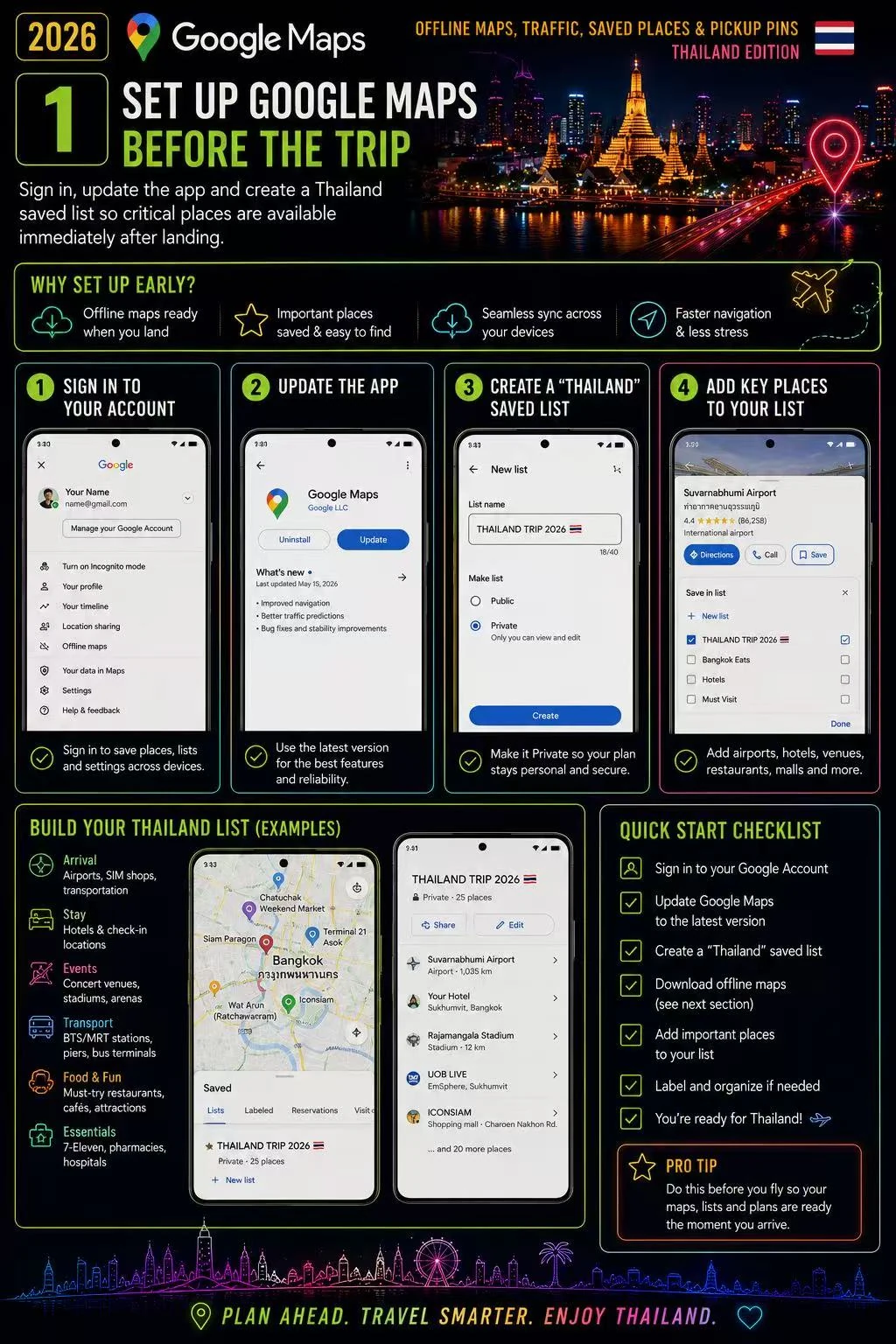
Sign in, update the app and create a Thailand saved list so critical places are available immediately after landing.
2. Download offline maps
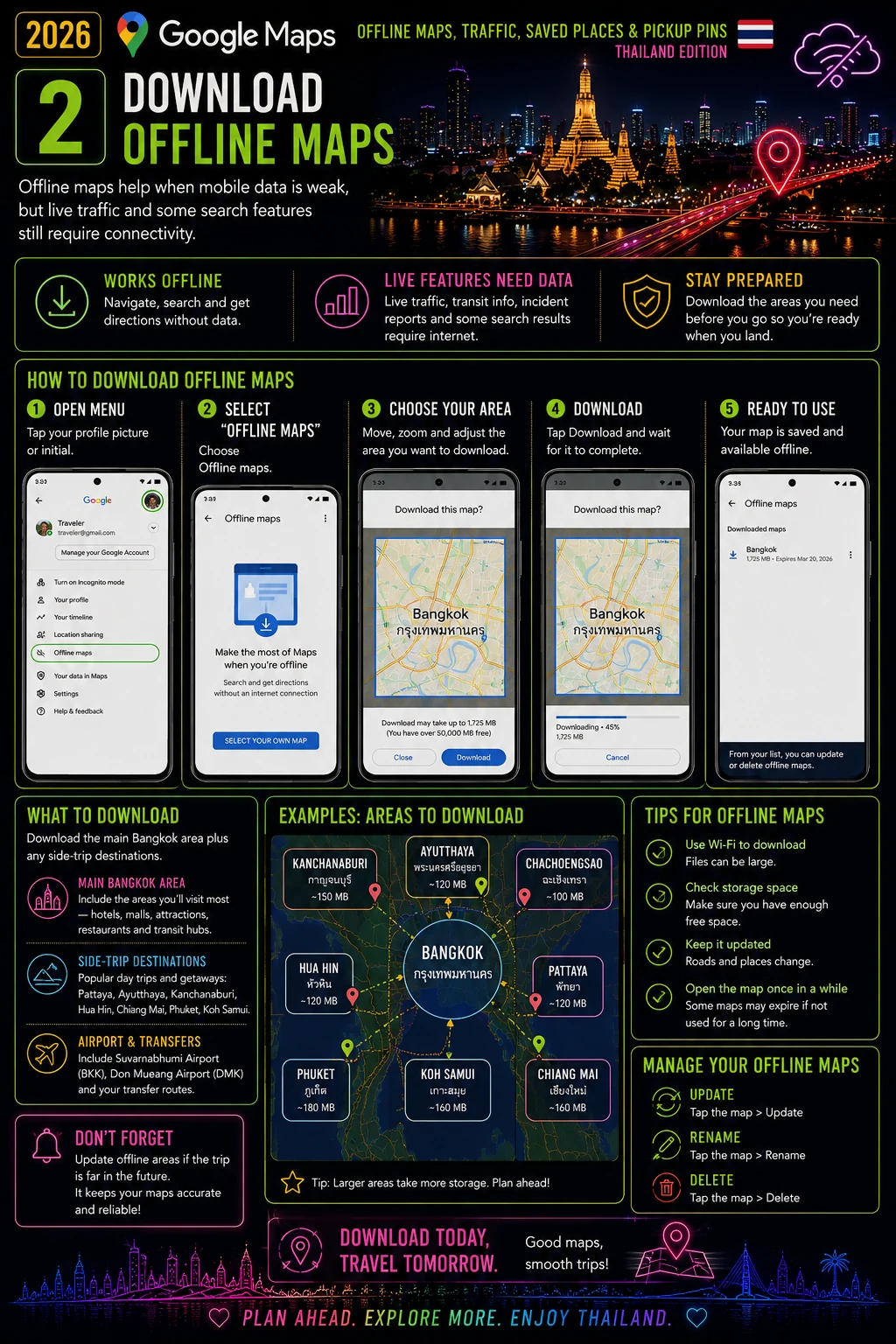
Offline maps help when mobile data is weak, but live traffic and some search features still require connectivity.
- Download the main Bangkok area plus any side-trip destinations.
- Update offline areas if the trip is far in the future.
3. Save bilingual place names
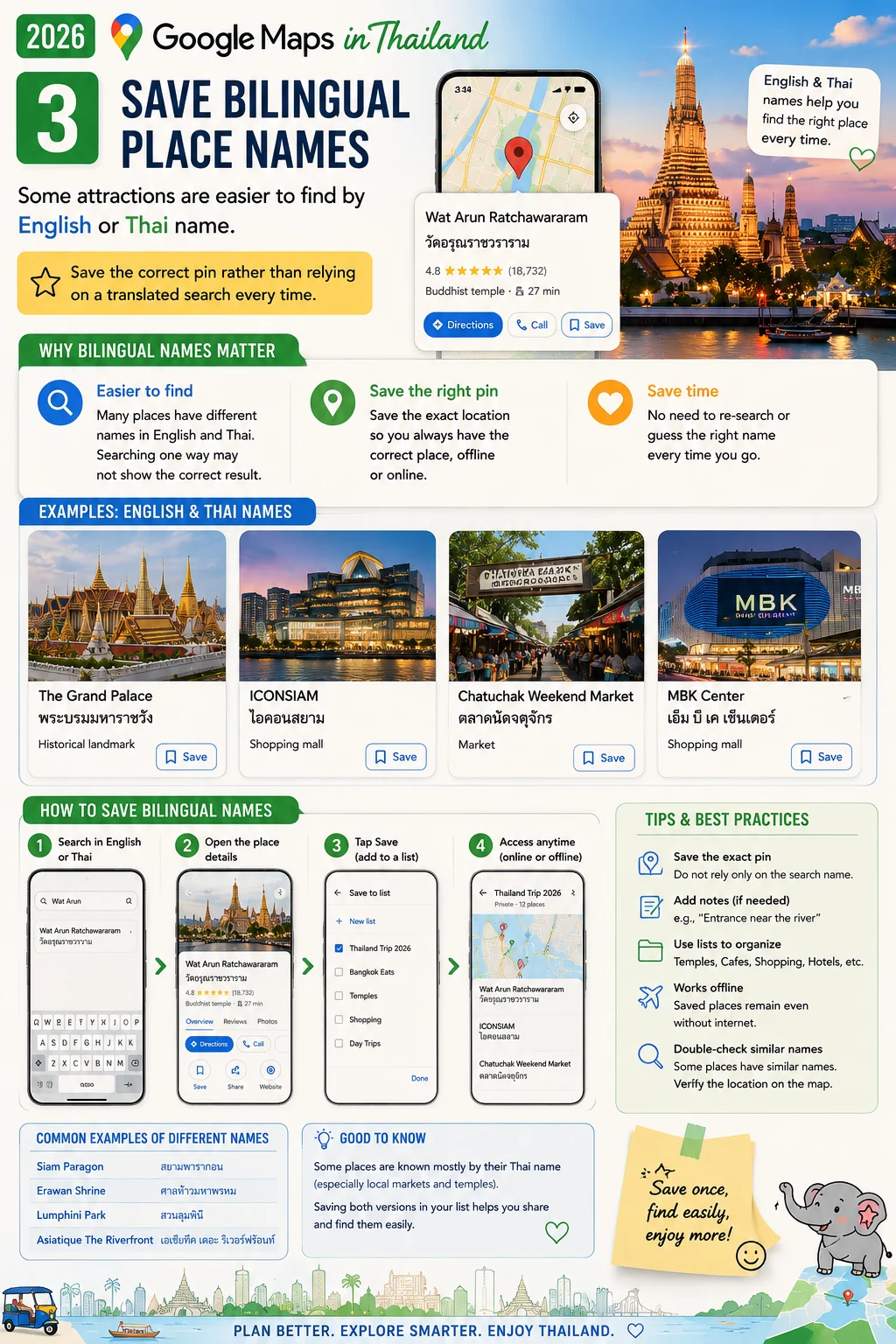
Some attractions are easier to find by English or Thai name. Save the correct pin rather than relying on a translated search every time.
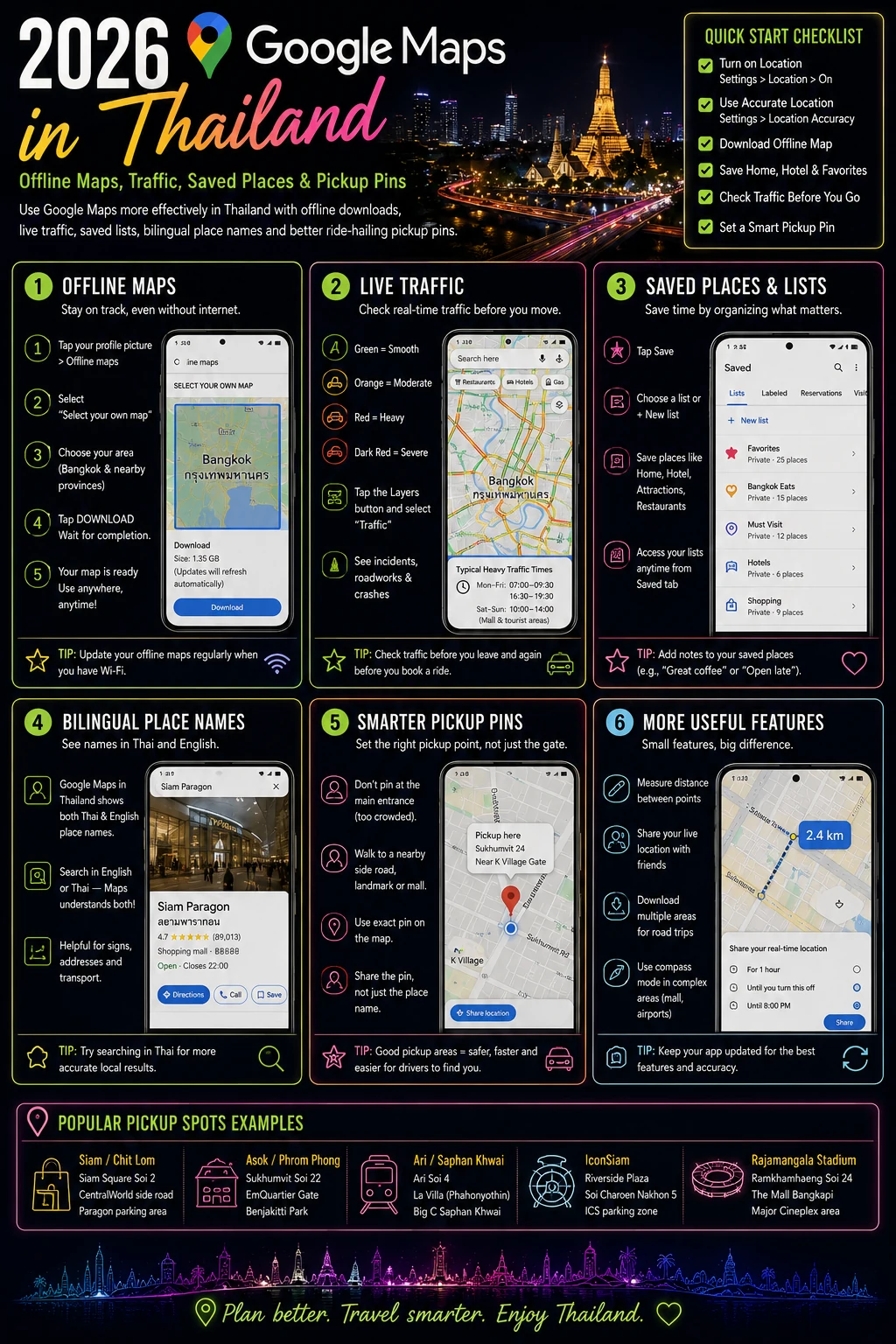
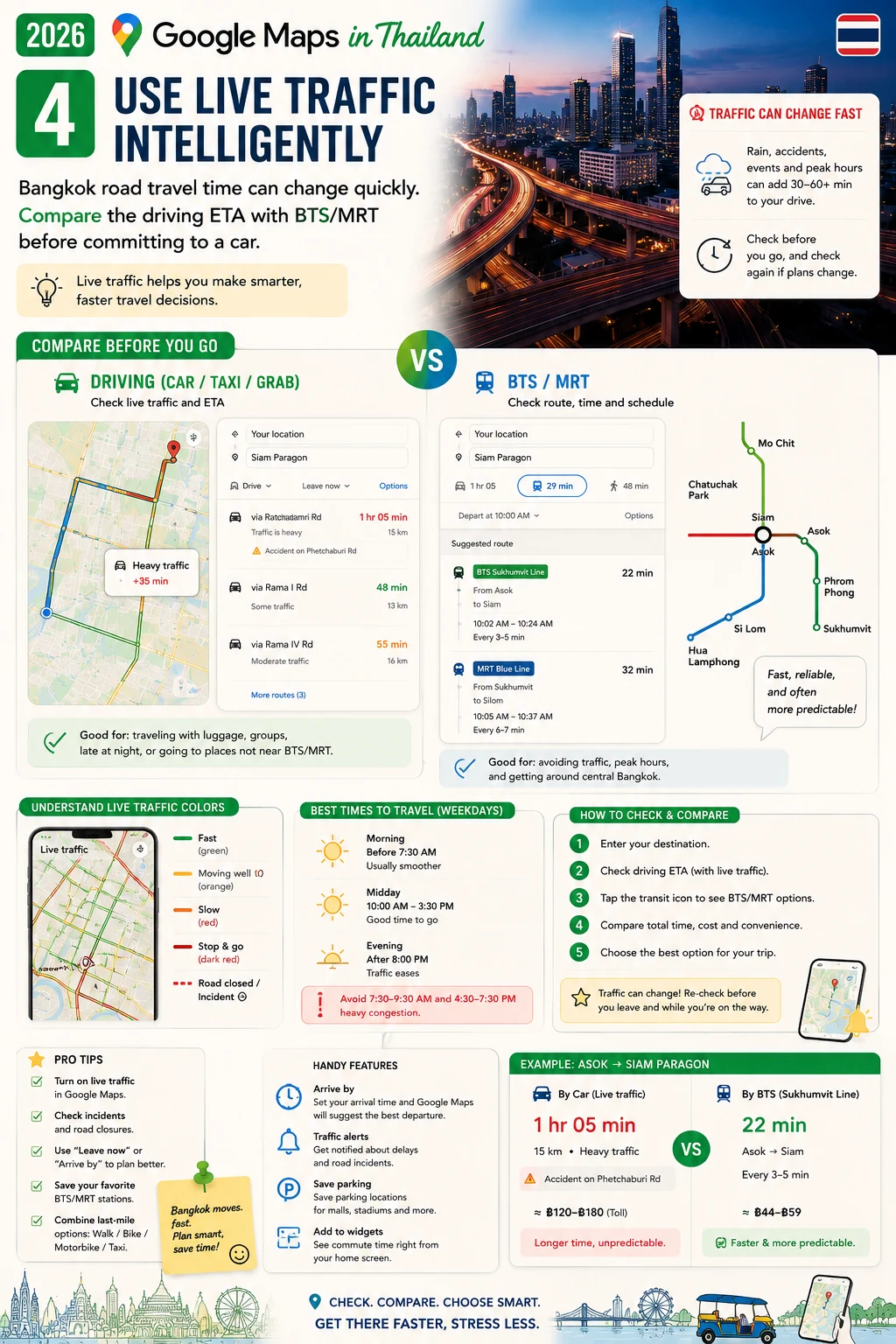
4. Use live traffic intelligently
Bangkok road travel time can change quickly. Compare the driving ETA with BTS/MRT before committing to a car.
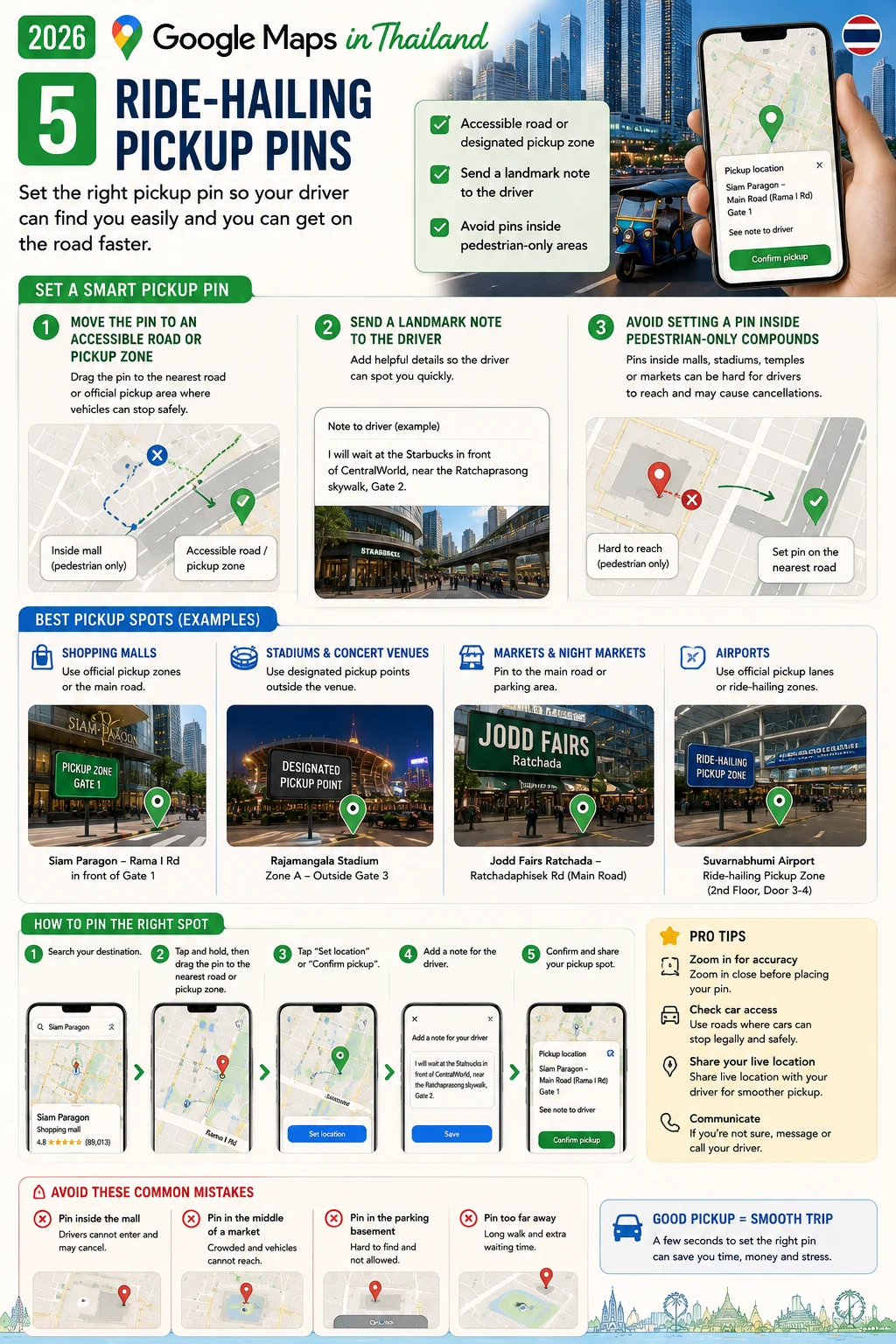
5. Ride-hailing pickup pins
Move the pin to an accessible road or designated pickup zone, especially at malls, stadiums and markets.
- Send a landmark note to the driver when useful.
- Avoid setting a pin inside pedestrian-only compounds.
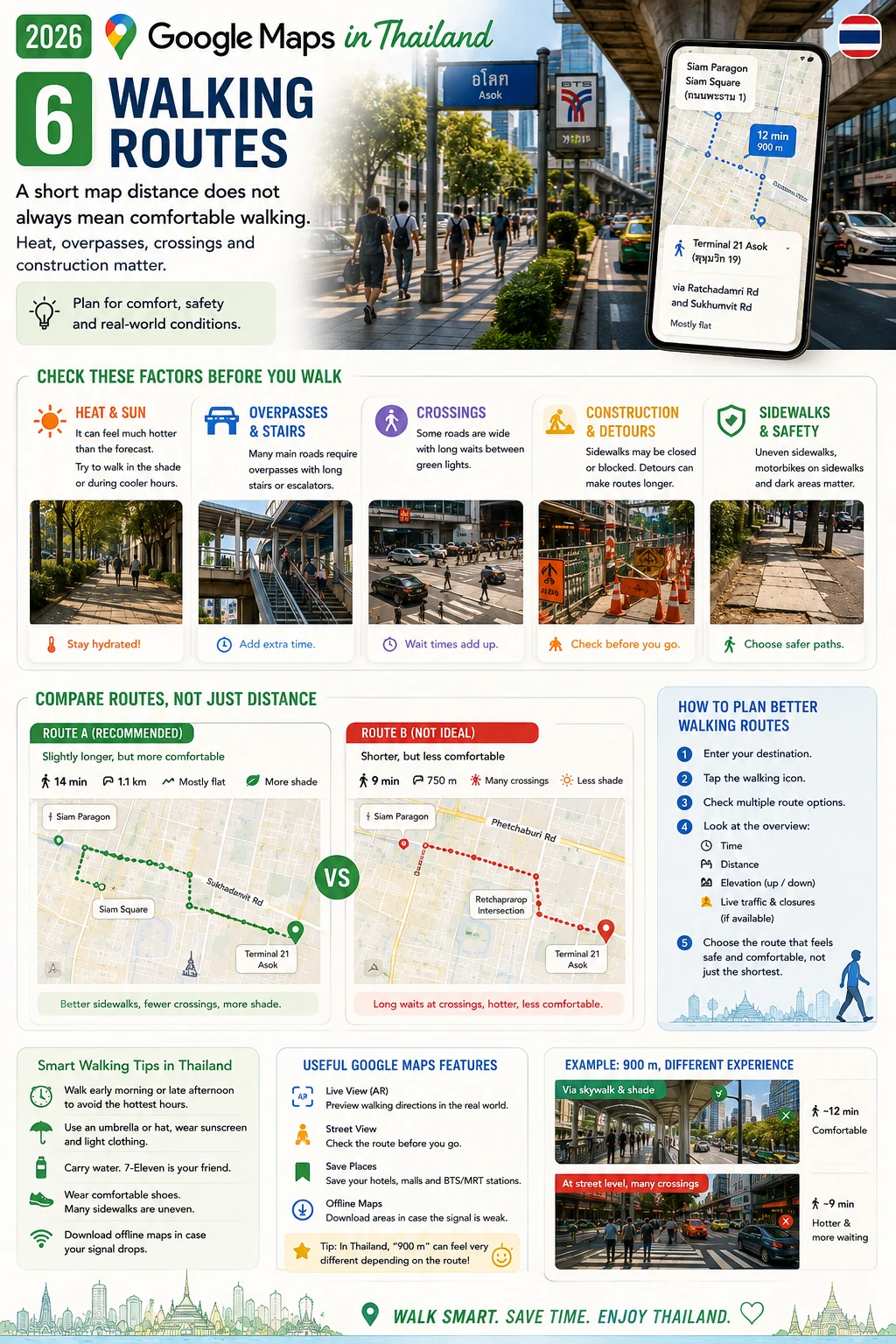
6. Walking routes
A short map distance does not always mean comfortable walking. Heat, overpasses, crossings and construction matter.
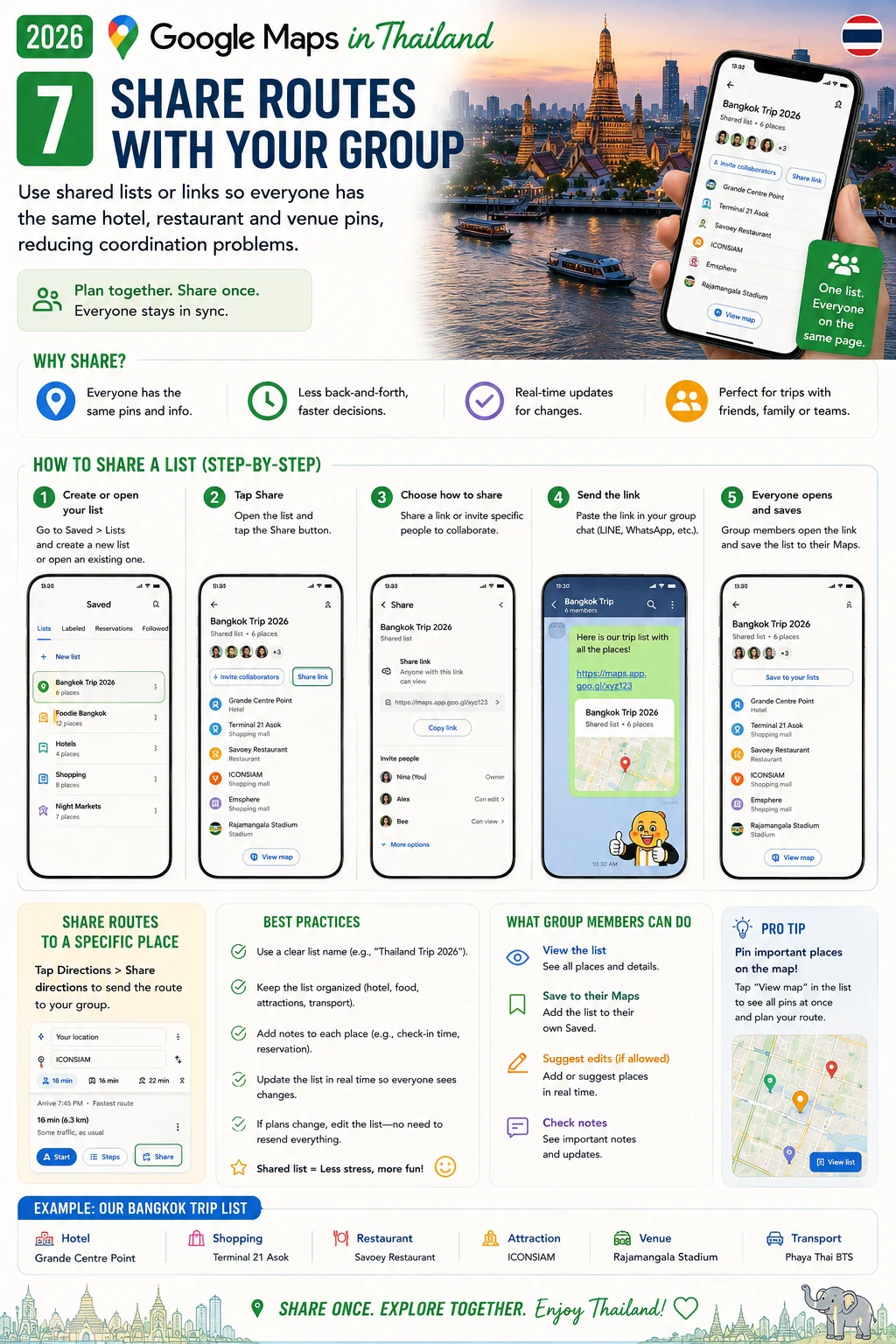
7. Share routes with your group
Use shared lists or links so everyone has the same hotel, restaurant and venue pins, reducing coordination problems.
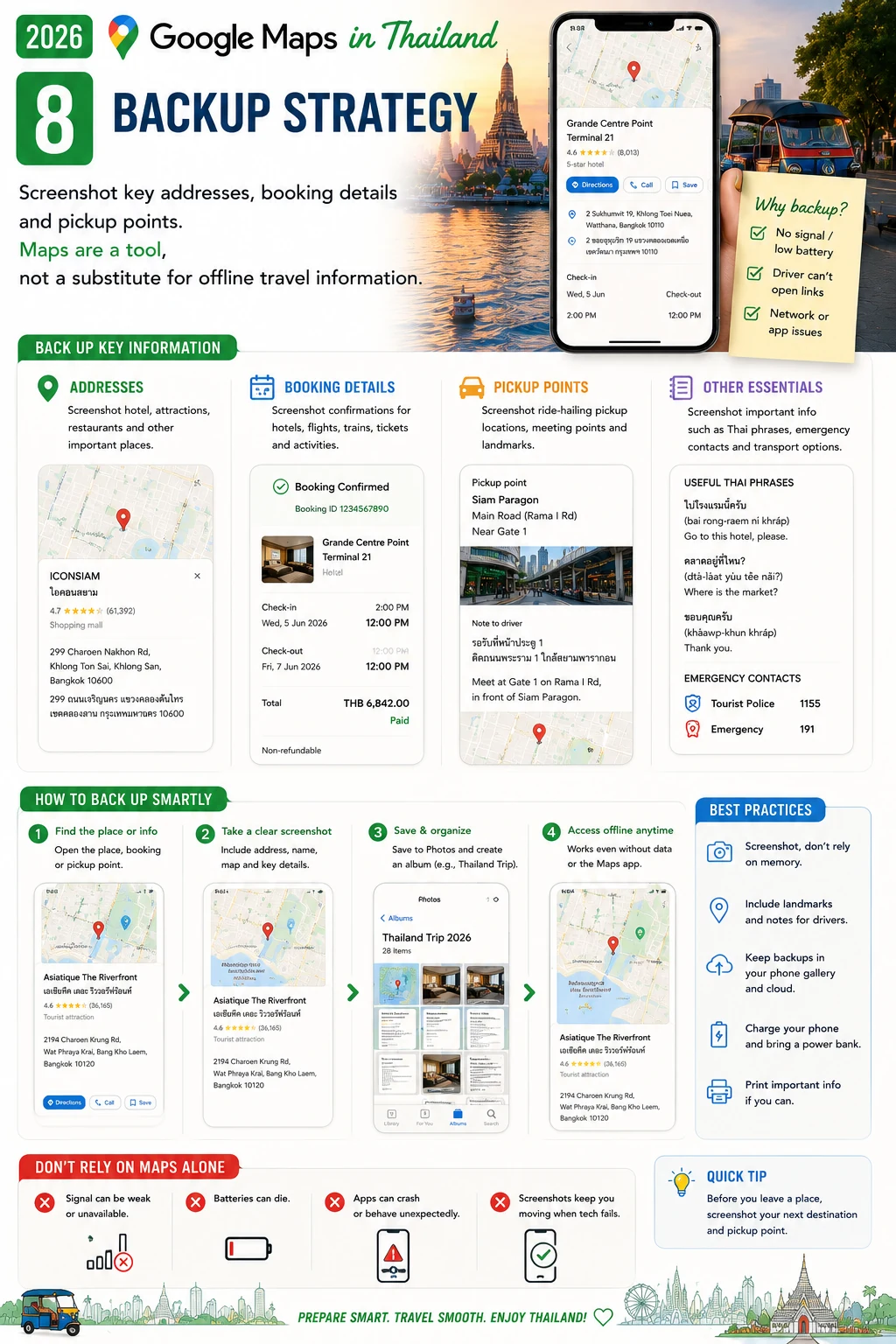
8. Backup strategy
Screenshot key addresses, booking details and pickup points. Maps are a tool, not a substitute for offline travel information.
Frequently Asked Questions
Does offline Google Maps show live traffic?
No. Live traffic and many dynamic features require an internet connection.
Why can a driver not find my pin?
The pin may be inside a complex or on an inaccessible road. Move it to a clear legal pickup point.
Official sources to verify
For changing rules, fares and public-service information, check the latest official source.
Google Maps Help →Final pre-trip check
Save important addresses, bookings, transport plans, passport details and emergency contacts offline. Recheck time-sensitive information on the day you travel.